New Online mushroom identification

Mushroom Identifier: What Mushroom Is This?

Upload one clear photo. The online mushroom identifier can suggest a likely match, visible clues, possible lookalikes, and a practical next step—without treating a photo result as an edibility verdict.

  • One clear photo to start
  • JPG, PNG, and WEBP
  • Visual guidance—not an edibility verdict

Mushroom Identifier Online

Identify a Mushroom from a Photo

Start with a sharp, well-lit photo. The online mushroom identifier can compare the cap, underside, stem, and habitat context from the image. Drag and drop an image, browse your device, or take a photo on a supported mobile browser.

Ready to analyze

Drag & drop your mushroom photo here

or click this area to choose an image

A clear photo gives this online mushroom identifier more visible detail to compare.

Submit one photo when you are ready.

Supports JPG, PNG, and WEBP · Max 10MB

Illustrative Mushroom Examples

See how Mushroom Identifier explains visual matches

These illustrative mushroom images demonstrate the result layout. Each case shows an online mushroom identifier result with a likely match, mushroom group, visible clues, possible lookalikes, and a safer next step.

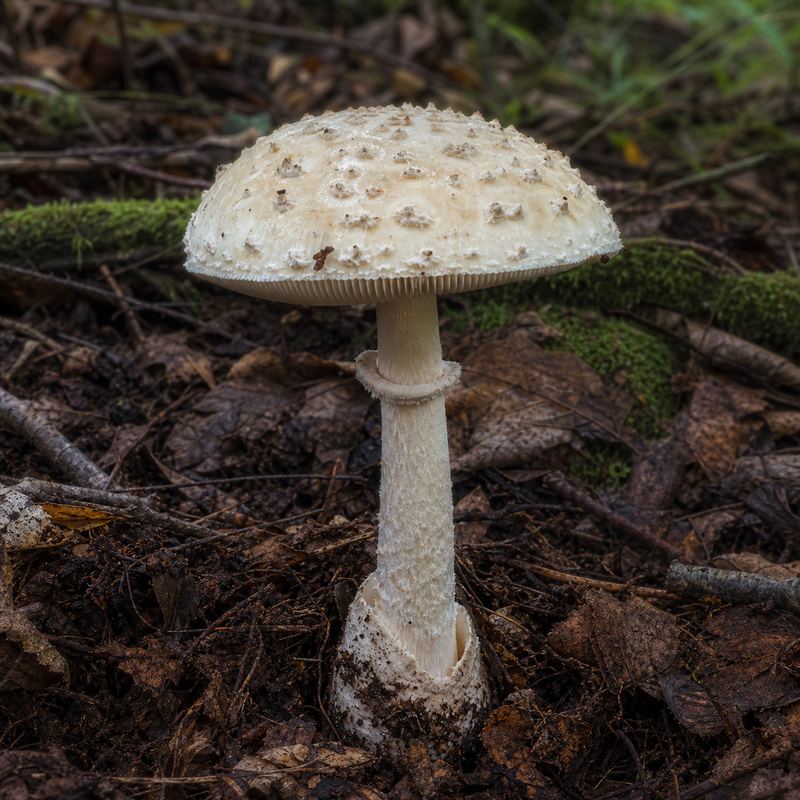
Illustrative pale mushroom with a ringed stem emerging from woodland leaf litter Illustrative Example

Likely Match

Amanita-like Mushroom

Mushroom Group
Gilled Mushroom

Visible Clues

  • Pale cap with a textured surface
  • Visible ring around the stem
  • Stem emerging from leaf litter with base context
Possible LookalikesOther Amanita-like Mushrooms · Lepiota-like Mushroom

What to Try Next: Show the cap surface, underside, full stem, and base without disturbing the specimen.

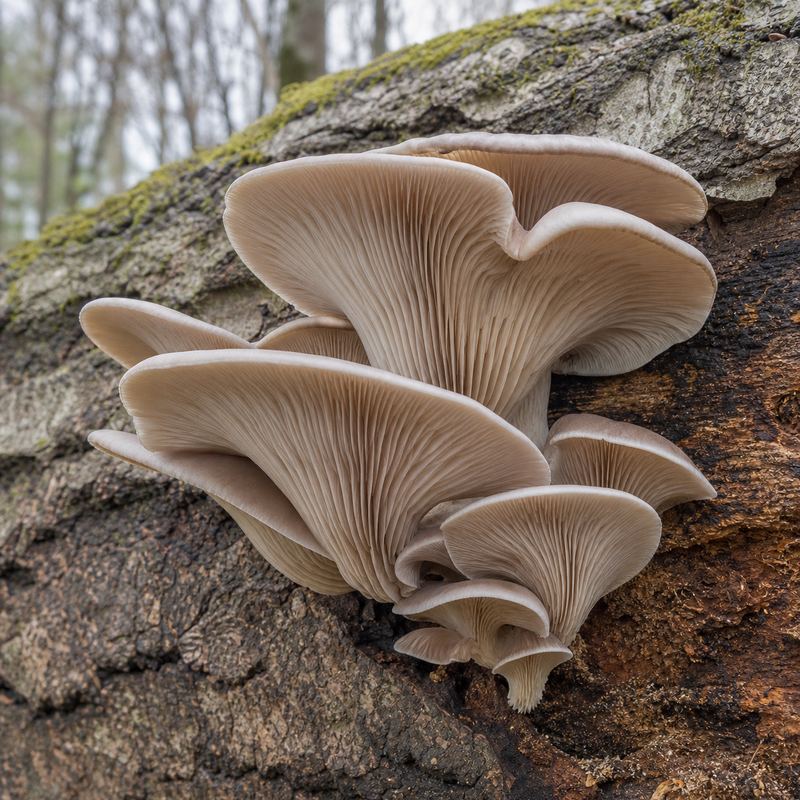
Illustrative cluster of pale oyster-like mushrooms attached to a fallen log Illustrative Example

Likely Match

Oyster-like Mushroom

Mushroom Group
Gilled Mushroom

Visible Clues

  • Clustered growth on wood
  • Fan-shaped overlapping caps
  • Gills running toward a side attachment
Possible LookalikesPleurotoid Mushrooms · Split Gill-like Mushroom

What to Try Next: Include the full cluster, underside, attachment point, and the tree or log it is growing on.

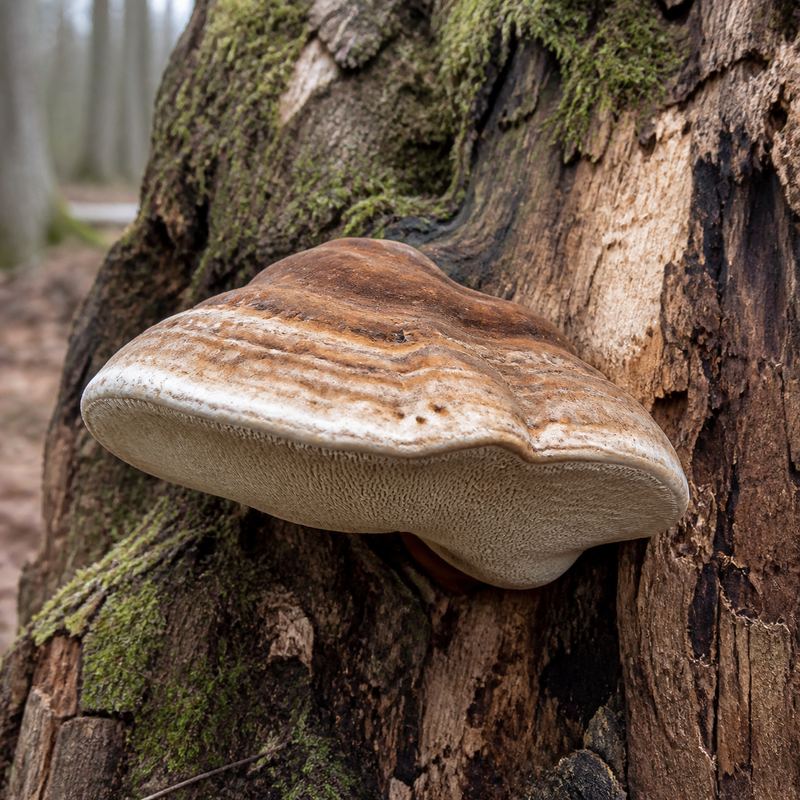
Illustrative bracket-like mushroom with a layered pore surface on decaying wood Illustrative Example

Likely Match

Polypore-like Mushroom

Mushroom Group
Pored Mushroom

Visible Clues

  • Bracket-shaped growth on wood
  • Layered bands across the cap
  • Pore surface visible along the underside edge
Possible LookalikesOther Polypores · Crust Fungi

What to Try Next: Photograph the underside, attachment point, texture, and surrounding wood in even light.

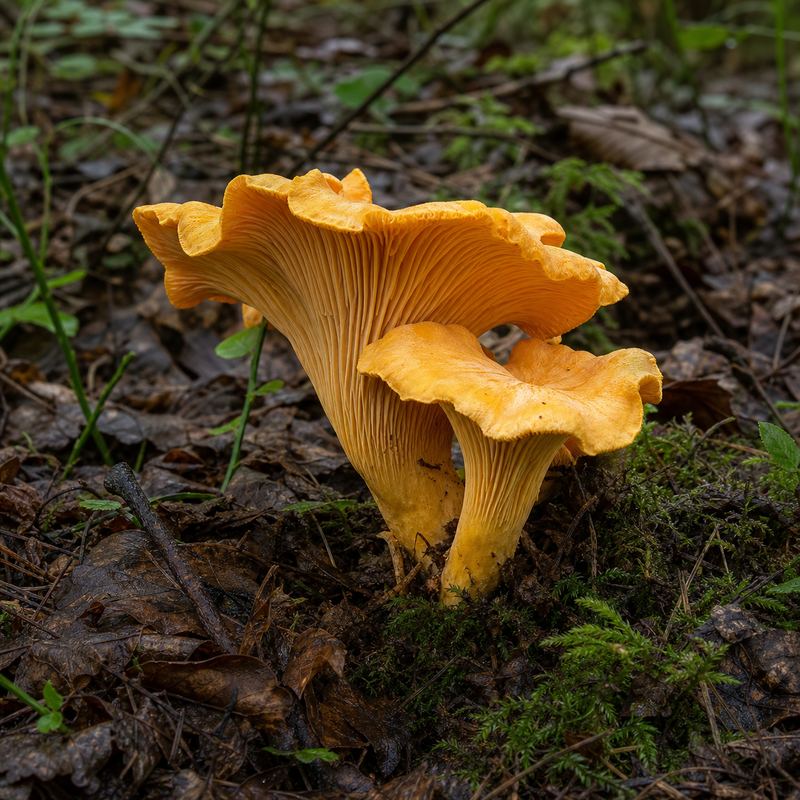
Illustrative orange mushroom with a funnel-shaped cap and ridged underside in moss Illustrative Example

Likely Match

Chanterelle-like Mushroom

Mushroom Group
Gilled Mushroom

Visible Clues

  • Funnel-shaped cap with an irregular edge
  • Ridges or folds beneath the cap
  • Orange color variation against moss and leaf litter
Possible LookalikesFalse Chanterelle · Jack-o'-Lantern-like Mushroom

What to Try Next: Add a close underside photo, a stem-base view, and habitat context for comparison.

The images and result text are illustrative examples. A photo-based result cannot confirm species, edibility, toxicity, or safe handling.

How to Use the Mushroom Identifier

Identify a mushroom in three simple steps

This online mushroom identifier keeps the first attempt focused: choose a photo, submit it, and read the likely match with its visible context and limits.

  1. 01

    Choose a clear photo

    Drag and drop an image, use Browse Files, or take a photo on a supported mobile browser. Show the cap, underside, stem, and base when possible.

  2. 02

    Submit the image

    Select Identify This Mushroom. The button stays disabled until a valid image is selected, and the loading state prevents duplicate submissions.

  3. 03

    Review the visual result

    Read the likely match, mushroom group, visible clues, possible lookalikes, and suggested next photo. Never treat the result as an edibility or poison verdict.

Better Mushroom Photos

How to take a better mushroom identification photo

A photo-based mushroom identifier can only compare what the camera captures. These simple changes make the visible evidence clearer without requiring extra form fields.

Show the cap

Photograph the cap from above and from the side so shape, color, texture, and edge details are visible.

Show the underside

Include gills, pores, or teeth when possible. The underside often separates lookalike groups better than color alone.

Show the stem and base

Keep the stem, ring, attachment, and base in frame when possible. Do not destroy a specimen just to take a photo.

Include context

Add habitat, wood or soil, season, and a rough size reference through the photo or your own field notes. Context helps research but does not prove safety.

What the Mushroom Identifier Looks For

Visible clues help narrow the mushroom match

The online mushroom identifier can consider several visible signals together instead of relying on one color or cap shape alone, then report uncertainty when a photo does not provide enough evidence.

Cap shape and surface

Convex, flat, funnel-shaped, scaly, smooth, zoned, or textured caps can point toward different groups and lookalikes.

Gills, pores, or teeth

The underside pattern, spacing, attachment, and surface type often add more useful evidence than color alone.

Stem, ring, and base

Stem shape, surface, ring, attachment, and visible base features can change which possibilities deserve a closer look.

Habitat and growth pattern

Wood, soil, moss, clustered growth, season, and nearby plants provide context, but none of them confirms edibility or toxicity.

A photo cannot reliably determine species, toxicity, edibility, microscopic features, spore print, chemical reactions, or expert-level safety. Consult a qualified local expert when those answers matter.

Mushroom Identifier FAQ

Questions about the online mushroom identifier

The online mushroom identifier can answer common questions about photos, safety boundaries, privacy, online access, accuracy, and possible lookalikes.

What is a mushroom identifier?

A mushroom identifier compares visible details in a photo, such as cap shape, surface, gills or pores, stem, base, color, and habitat context, then suggests a likely mushroom match. It is a visual starting point, not proof of species, edibility, or safety.

Can I identify a mushroom from a photo?

Upload one clear mushroom photo to Mushroom Identifier and select Identify This Mushroom. The result can show a likely match, a broad mushroom group, visible clues, possible lookalikes, and a suggestion for a better follow-up photo or field observation.

Can it tell me if a mushroom is edible or poisonous?

No. Mushroom Identifier cannot confirm that a wild mushroom is edible, non-toxic, or safe to handle. Do not eat a mushroom based on a photo result. Consult a qualified local expert and authoritative safety guidance when certainty matters.

Do I need to download an app?

No. The tool is designed to work online in a modern browser. Upload a JPG, PNG, or WEBP image, or use camera capture on a supported mobile browser.

What photo gives the best result?

Use even natural light, keep the mushroom in focus, and show the cap, underside, stem, and base when possible. Include habitat context and avoid filters, strong shadows, and distant landscape shots.

How accurate is AI mushroom identification?

Photo-based identification depends on lighting, focus, camera angle, visible features, and how distinctive the mushroom is. Mushroom Identifier does not promise a fixed accuracy percentage; use the result as a starting point and seek expert verification when certainty matters.

Why does the result show lookalikes?

Many mushrooms share colors, cap shapes, gill or pore patterns, and habitats. Possible lookalikes show what could be confused with the leading match and help you decide what to photograph or research next.

Are my mushroom photos stored or shared?

The selected image remains in the browser until you submit it. When submitted, it is sent to the identification service for processing. Review the Privacy Policy for current information about temporary processing, service providers, retention, and your choices.

Ready to look closer?

Find out what mushroom this could be

Upload a clear photo and use the result as your next research step. When the visual evidence is not enough, the tool will say so and suggest a better way to continue.

Sign in to Mushroom Identifier

Access your identification usage, account, and billing history.

Your mushroom photo is sent for identification only after you submit it.